The first coding agent you run feels like a superpower. The third one feels like a job.
One terminal is rewriting an API rate limiter. Another is halfway through a pricing page and has stopped to ask which of two layouts should ship. A third finished twenty minutes ago and has a diff waiting that nobody has read. Each of them lives in its own tab, in its own checkout, with its own idea of what it was told to do. The agents are not the slow part anymore. The slow part is the human trying to remember which window is waiting on them.
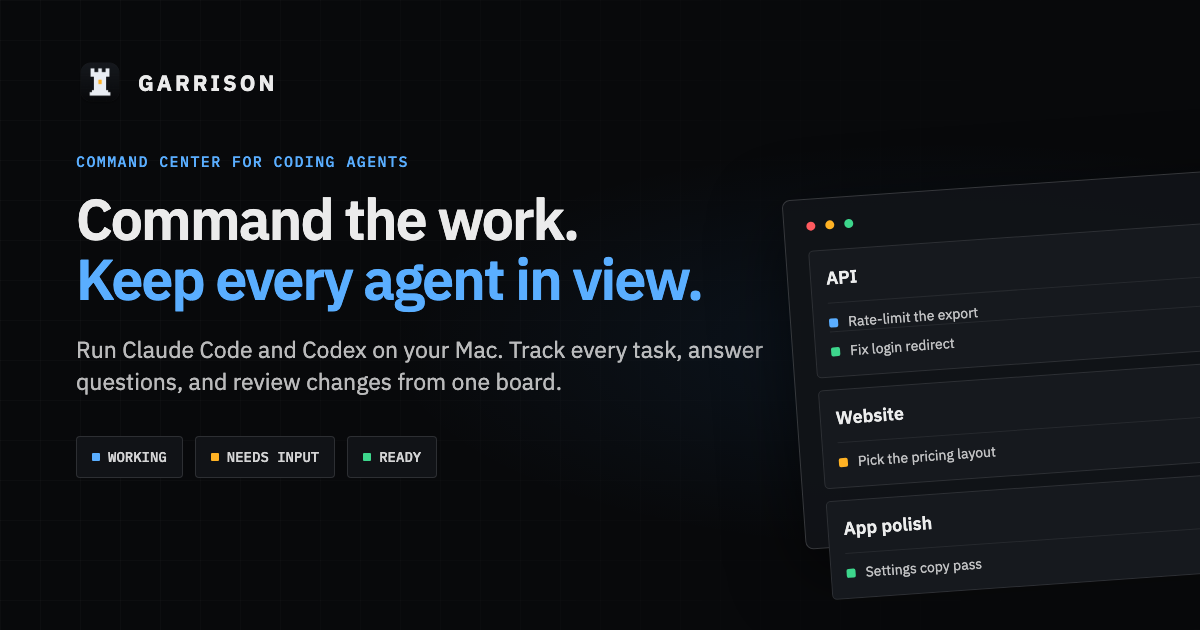
That is the problem Garrison is built for: a command center on your Mac for work delegated to Claude Code and Codex. You dispatch tasks, the agents run, and one board tells you what is working, what needs you, and what is ready for review.
Table of contents
Open Table of contents
The bottleneck moved
Most of the effort around coding agents goes into making a single session smarter: better models, better context, better tools. That work matters. But once agents are competent enough to run unattended for a while, a different constraint shows up. You can start ten tasks in ten minutes. You cannot review ten tasks in ten minutes, and you certainly cannot notice which one has been sitting on a yes-or-no question since lunch.
Chat is the wrong shape for this. A chat window is optimized for one conversation in depth. Supervising a fleet needs the opposite: breadth first, depth on demand. It needs status at a glance, interruptions routed to one place, and the evidence for “is this done?” (the diff, the PR, the checks) sitting next to the task that produced it.
I’ve argued before that production AI is mostly boundary design and that agents shouldn’t grade their own homework. Garrison is the same idea applied to my own workday. The agent does the work. A person decides when it’s finished.
How it’s organized
Garrison has a small vocabulary on purpose.
- Posts are focus areas: a project, a topic, or a workstream. Each post has its own folders, its own instructions, and a preferred harness.
- Tasks are units of work dispatched into a post. You describe the work once. Routing picks an available harness (Claude Code or Codex), records why, and can give the task its own git worktree so parallel tasks don’t trample each other.
- Review and close is the end of every task. You answer questions, inspect the diff, follow the pull request, send a follow-up. Only you mark a task done.
That last rule is the important one. An agent saying “done” is a claim. Garrison treats it like one.
What the board actually shows
The capabilities are mostly about getting the right information in front of you at the right moment:
- Needs input. When an agent asks a question or needs an approval, it shows up in an inbox, on the task, and on its post, with a Dock badge and a notification. Answer in Garrison and the session continues.
- Changes. Every run’s diff, file by file, from where the task started to where it stopped.
- Pull requests. PR state, reviews, and checks next to the task that opened them, read with your own
ghsign-in. - Subagents. When a run spawns subagents, they appear beside their task with their own status. On Claude Code you can stop one without stopping the run.
- Knowledge bases. Shared Markdown notes linked to posts. Agents read them and update them through Garrison, which keeps every earlier version.
- Access. Supervised, auto-accept edits, auto, or full access, set per app, post, or task and mapped to each harness’s own permission modes.
- Tickets. Browse GitHub and Linear issues beside the board and drop one on a post to start a task from it. Garrison only reads tickets; it never changes them.
None of these features is exotic. Together they mean you stop polling terminals and start reacting to a queue.
Local, and boring about it
Garrison does not sit between you and the model. It launches the CLIs you already use. Sessions, logins, and tools stay with Claude Code and Codex. Model traffic goes directly from the harness to its provider with no proxy. Garrison’s own records (posts, tasks, runs, routing history) live in ~/.garrison on your Mac.
That boundary was a deliberate choice. A tool that supervises agents shouldn’t also become a new place your credentials and source code have to trust. If you uninstall Garrison tomorrow, your harnesses work exactly as they did before.
A small proof
This post is a modest example. The task to add Garrison links around this site and write this article was dispatched from a Garrison post for this blog. It ran in its own worktree, read the post’s knowledge base, and ended in a diff for a person to review. The agent wrote the draft. Whether it ships is still a human decision.
Try it
Garrison is free for a single developer. It runs on Apple silicon Macs with macOS 15 or later, and it needs Claude Code or Codex installed. Install it from Terminal:
curl -fsSL https://get.garrison.enginyyr.com/install.sh | sh
Updates arrive in the app. A Team plan is in development: shared workspaces, shared task status and PRs across the posts you choose to share, with agents still running on each person’s own machine.
The pitch is simple. You already have capable agents. What you’re missing is a way to keep all of them in view without becoming their scheduler. Garrison is here.